Navigating the world of Roblox and sharing Robux with friends can sometimes feel like a puzzle. Many players wonder about the safest and most effective methods to transfer Robux to their pals. This comprehensive guide explores all legitimate ways you can give Robux to your friends on Roblox. We cover everything from creating group payouts to utilizing game passes, ensuring you understand each process fully. Discover the best practices to help your friends acquire Robux for their in-game adventures. Avoid scams and learn official techniques recognized by Roblox itself. This resource aims to empower you with knowledge. It ensures smooth and secure transactions within the Roblox platform for all your sharing needs. Unlock new ways to support your friends and enhance their gaming experience today with these proven strategies. Sharing is caring, especially when it comes to Robux.
Related gamesWelcome to the ultimate living FAQ about how to give Robux to friends on Roblox, updated for the current year's patch! We know you're eager to share the wealth with your gaming buddies, and navigating Roblox's economy can sometimes feel like a mini-game itself. This guide will cut through the confusion, offering clear, concise answers to your most pressing questions about Robux transfers. We'll cover everything from beginner inquiries to advanced tips, tricks, and potential issues, ensuring you have all the knowledge you need to securely and effectively get Robux to your friends. Let's make sharing Robux simple and fun!
Most Asked Questions About Giving Robux to Friends
How can I directly give Robux to my friends on Roblox?
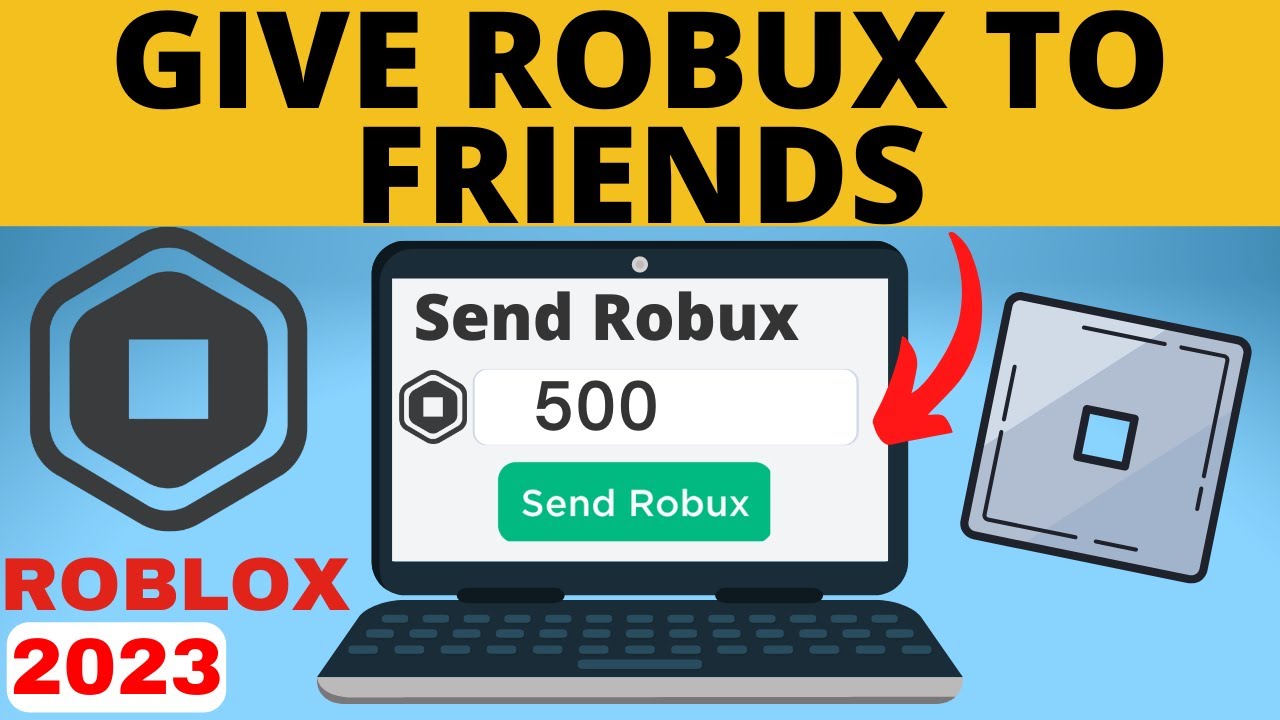
You cannot directly transfer Robux to friends through a simple 'gift' button on Roblox. This policy exists for security reasons to prevent scams. Instead, you'll need to use legitimate workarounds like buying a Roblox gift card, purchasing a friend's game pass or clothing item, or utilizing group payouts if you own a Roblox group and have funds.
What is the safest method for transferring Robux to a friend?
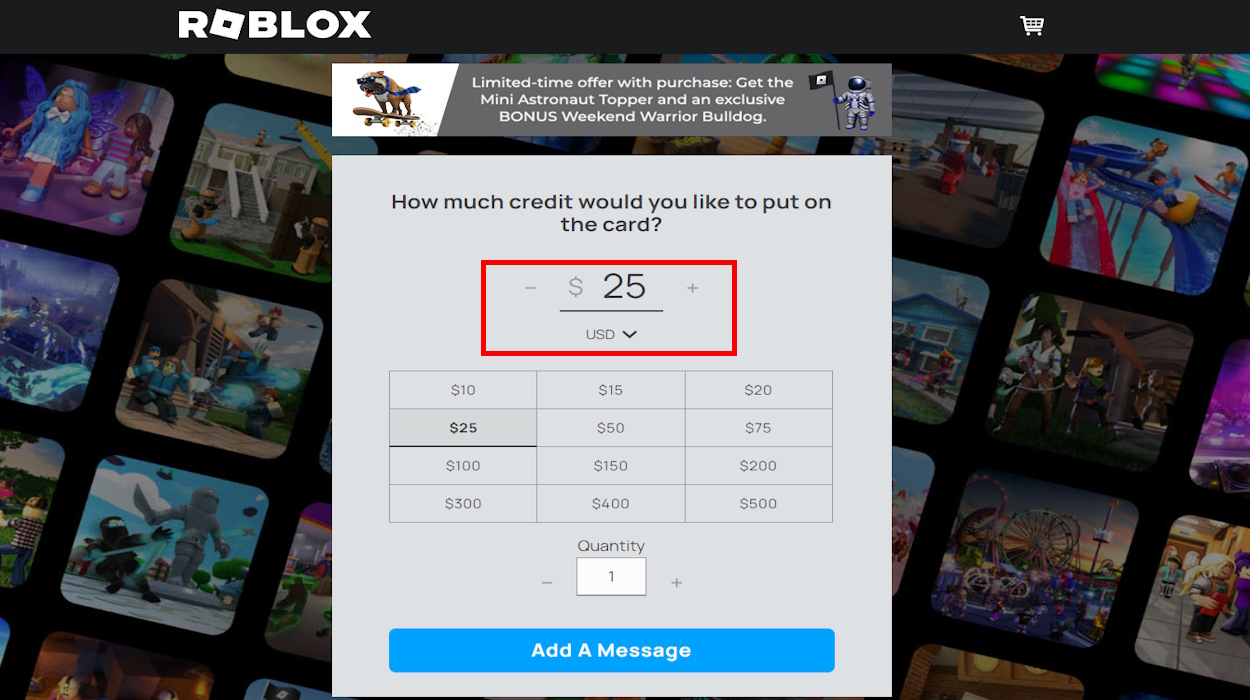
The safest and most straightforward method is to purchase a Roblox gift card. You can buy these online or at retail stores, then give your friend the code to redeem. This bypasses any in-game transaction fees or complexities and provides instant Robux without risk of account compromise.
How do Roblox group payouts work for giving Robux?
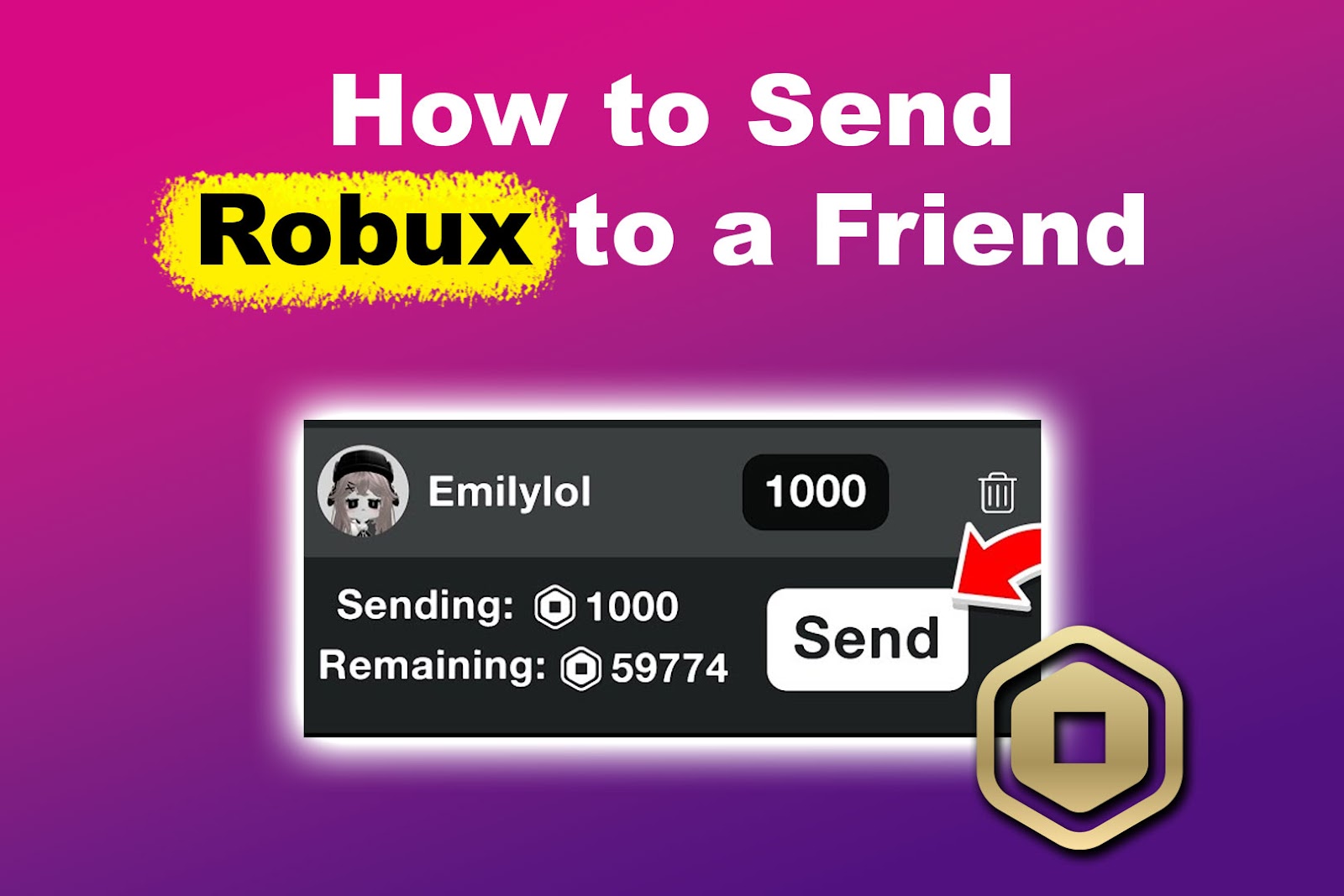
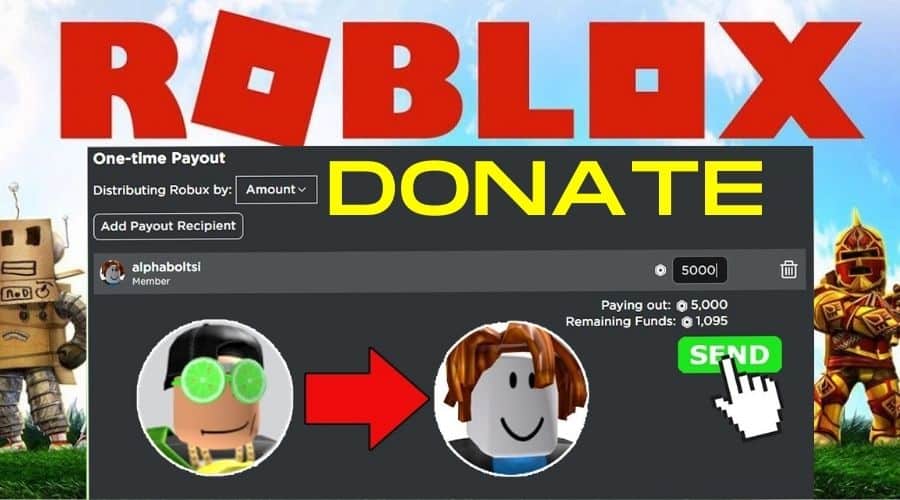
If you own a Roblox group and have Robux in its group funds (earned from sales), you can perform a 'One-time Payout' to any group member, including your friend. Your friend must join your group first. This is a common method for developers to pay contributors.
Can I buy a friend's game pass to give them Robux?
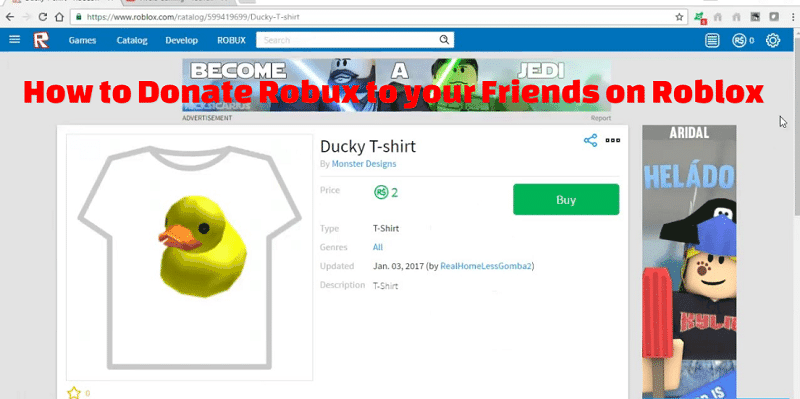
Yes, buying a friend's game pass or clothing item is a popular method. Your friend creates an item for sale in their game or on their profile, sets a price, and you purchase it. After Roblox's 30% marketplace fee, the remaining Robux goes to their pending balance.
Are there any fees when giving Robux through game passes or groups?
Yes, Roblox typically takes a 30% marketplace fee from sales of game passes or clothing items. This means your friend will receive 70% of the item's sale price. Group funds also accumulate Robux after similar deductions from group item sales.
Why does Robux take so long to process after a sale?
Robux from sales (like game passes or clothing) enters a 'pending' state for typically 3-7 days. Roblox uses this waiting period to verify the transaction, combat fraud, and ensure the legitimacy of the Robux, before releasing it to the recipient's active balance.
What are the benefits of Roblox Premium when sharing Robux?
Roblox Premium members generally receive a higher percentage of Robux from their sales (e.g., 80% instead of 70%). This means if your friend has Premium, they'll retain more Robux when you buy their game pass, making the transfer more efficient for them.
Beginner Questions About Giving Robux
How do I give Robux to someone for their birthday?
The easiest way to gift Robux for a birthday is by buying a Roblox Gift Card. You can choose a physical card from a store or an e-gift card online. Give your friend the unique code, and they can redeem it directly on the Roblox website. It's quick, personal, and avoids in-game complexities, making it a perfect present.
Is it possible to give Robux to a friend if I don't have a group?
Absolutely! If you don't have a group, you can still give Robux. The best alternatives are buying a Roblox Gift Card, which is direct and secure, or purchasing a game pass or clothing item that your friend has created and put up for sale. These methods do not require group ownership.
What is pending Robux and why does it happen?
Pending Robux is the Robux you've earned from sales (like game passes or clothing) that hasn't yet been released to your active balance. It typically takes 3-7 days for Roblox to process and verify these transactions. This waiting period is a security measure to prevent fraudulent activity and ensure the legitimacy of the Robux before it's usable.
Tips & Tricks for Efficient Robux Sharing
Can I make a private game pass for my friend to buy?
Yes, your friend can create a game pass in their game, which you then purchase. The game itself doesn't need to be public; the game pass just needs to be accessible for sale. Share the direct link to the game pass page to ensure you buy the correct one. This keeps the transaction private between you two.
How can I ensure my friend gets the exact amount of Robux I intend to give?
The most precise method is using a Roblox Gift Card, as it transfers the exact denominated amount. For game passes or clothing sales, remember to factor in Roblox's 30% fee. If you want your friend to receive 100 Robux, you'd need them to create an item for approximately 143 Robux (143 * 0.70 = ~100).
What if my friend doesn't have a game to create a game pass?
If your friend doesn't have a game, they can still create a game pass! Every Roblox user automatically has a 'place' where they can create items. They just need to go into Roblox Studio, create a simple place, and then add a game pass to it. Alternatively, they can create clothing items like shirts or pants for you to buy. A Roblox Gift Card is also an excellent option here.
How can I get free Robux to give to friends?
There is no legitimate way to get 'free Robux' to give to friends. Beware of websites or apps promising free Robux, as these are typically scams designed to steal your account information. The only official ways to acquire Robux are by purchasing them, earning them through game or item sales, or redeeming a Roblox Gift Card.
Still have questions?
For more detailed information and the latest updates, check out these official Roblox resources:
- Roblox Support: General Questions
- Roblox Developer Hub: Monetization Guides
Ever wondered, 'How can I give Robux to my friends on Roblox?' It's a question many players ask, eager to help their pals out in the vast digital playground. While Roblox doesn't have a direct 'gift Robux' button, don't worry! There are several legitimate and secure ways to get Robux into your friends' accounts. We're here to break down these methods, ensuring you understand exactly how to share the wealth. Think of it like a secret handshake for Robux, but totally official and above board.
Understanding these methods is key to enhancing your shared gaming experiences. Many gamers want to know why direct transfers aren't allowed. It’s primarily for security and to prevent scams within the platform. By following official channels, you keep everyone safe. Knowing where to start can seem daunting at first glance. We will guide you through each step. You'll become a Robux-sharing pro in no time. Let's dive into the best ways to support your friends.
Understanding Roblox Robux Transfer Methods
Sharing Robux with friends on Roblox involves a few clever workarounds. These methods leverage the platform's existing economy. They ensure a secure and trackable transaction. Each option has its own benefits and steps involved. Consider what works best for you and your friends. We will explore each method in detail, providing clear instructions. This ensures you can confidently help your friends get Robux.
Why Direct Robux Transfers Are Not a Thing on Roblox
Many players often ask, 'Why can't I just give Robux directly to my friend?' I get why this confuses so many people. Roblox intentionally doesn't offer a direct Robux gifting feature. This is primarily a security measure to combat scams and fraudulent activities. It helps protect users from unauthorized transactions and potential account compromises. Preventing direct transfers means that all Robux circulation happens through official, transparent channels. This policy keeps the in-game economy safe and fair for everyone playing. It might seem inconvenient, but it's really about keeping your Robux and accounts secure.
Method 1 Using Roblox Group Payouts
The Roblox group payout system is a legitimate way to distribute Robux. It works effectively if you own a Roblox group and have Robux in its group funds. Your friend must also be a member of this group. This method is often chosen by game developers or content creators. They use it to pay their team members. Setting up a group for this purpose is quite straightforward. It allows for regular and organized Robux distribution. This process ensures transparency and fairness among group members. It's a solid method for ongoing Robux sharing.
How to Set Up a Group for Robux Sharing
First, you need to create your own Roblox group. This costs a one-time fee of 100 Robux. Once the group is established, your friend needs to join it. Next, you must fund the group by selling items through it. This could be game passes, clothing, or access to a game. When items are sold, the Robux earned goes into the group's pending Robux balance. After a short pending period, usually a few days, the Robux becomes available in the group funds. This ensures all transactions are properly processed by Roblox. It's an important step for legitimate Robux acquisition.
Distributing Robux via Group Payouts
Once you have Robux in your group funds, go to your group's admin page. Navigate to the 'Revenue' tab, then 'Payouts,' and finally 'One-time Payouts.' Select your friend from the member list. Enter the amount of Robux you wish to give them. Confirm the transaction to complete the payout. Remember, a portion of the Robux earned from sales will be taken as a Roblox fee. This means you will receive less than the full sale price. This system is designed for secure, distributed earnings. It's a reliable way to get Robux to group members.
Method 2 Purchasing a Friend's Game Pass or Clothing
Another popular and secure method involves your friend creating a game pass or clothing item. You then purchase this item from them. This effectively transfers Robux from your account to theirs. This method is incredibly versatile. It allows friends to set their own prices for virtual goods. The Robux from your purchase goes directly to your friend's pending Robux. This is after Roblox deducts its standard marketplace fee. This creates a virtual marketplace between friends. It's a creative way to give Robux with a purpose. It's a smart way for friends to support each other.
Creating a Game Pass for Robux Transfer
Your friend needs to create a game or place on Roblox. Within this game, they can create a game pass. They should then assign a specific Robux price to it. Make sure the price is visible and accessible. It's helpful to communicate the exact name of the game pass. This ensures you buy the correct item. Once the game pass is set up, your friend can share the link with you. You can easily navigate to it and make the purchase. This system is a tried and true method. It ensures a smooth transaction every time.
Buying Your Friend's Clothing or Game Pass
Once your friend has created their game pass or clothing item, they need to make it available for purchase. They should ensure it's listed on the Roblox marketplace. You then search for the item or use a direct link provided by your friend. Purchase the item just like any other in-game purchase. The Robux will be deducted from your account. After a pending period, your friend will receive the Robux, minus Roblox's commission. It’s a straightforward exchange of value. This makes it a popular choice for giving Robux.
Method 3 Roblox Gift Cards The Easiest Way
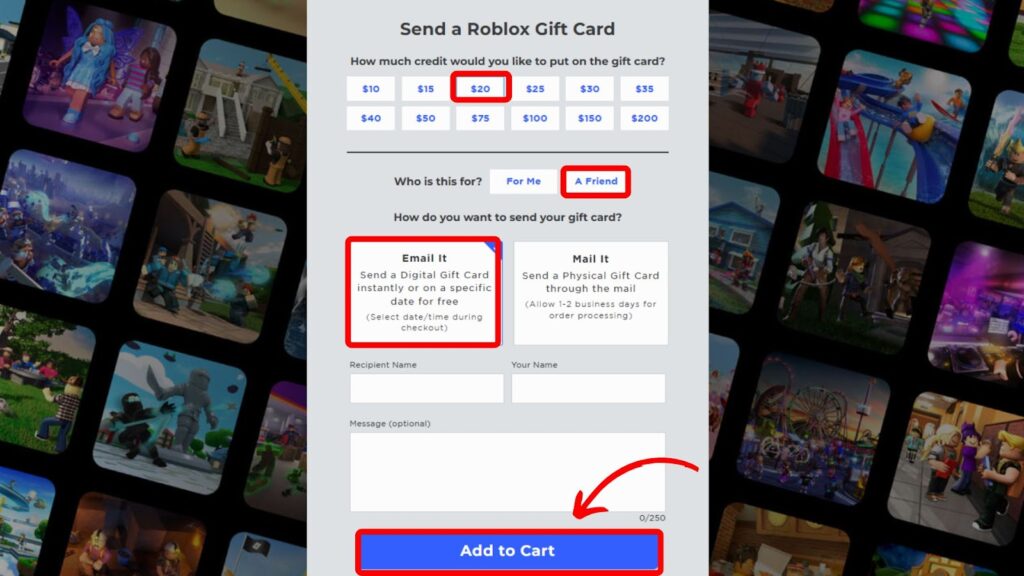
If you're looking for the absolute easiest way to give Robux, look no further than Roblox gift cards. These are available both digitally and physically. You can purchase them at various retailers online and in stores. They come in different denominations, offering flexibility. A Roblox gift card allows your friend to redeem the code for Robux directly into their account. It’s like giving them cash specifically for Roblox. There are no fees involved in the redemption process. It provides immediate value to your friend's account. This method bypasses any in-game mechanics. It's perfect for a quick and simple gift. You've got this!
Where to Buy Roblox Gift Cards
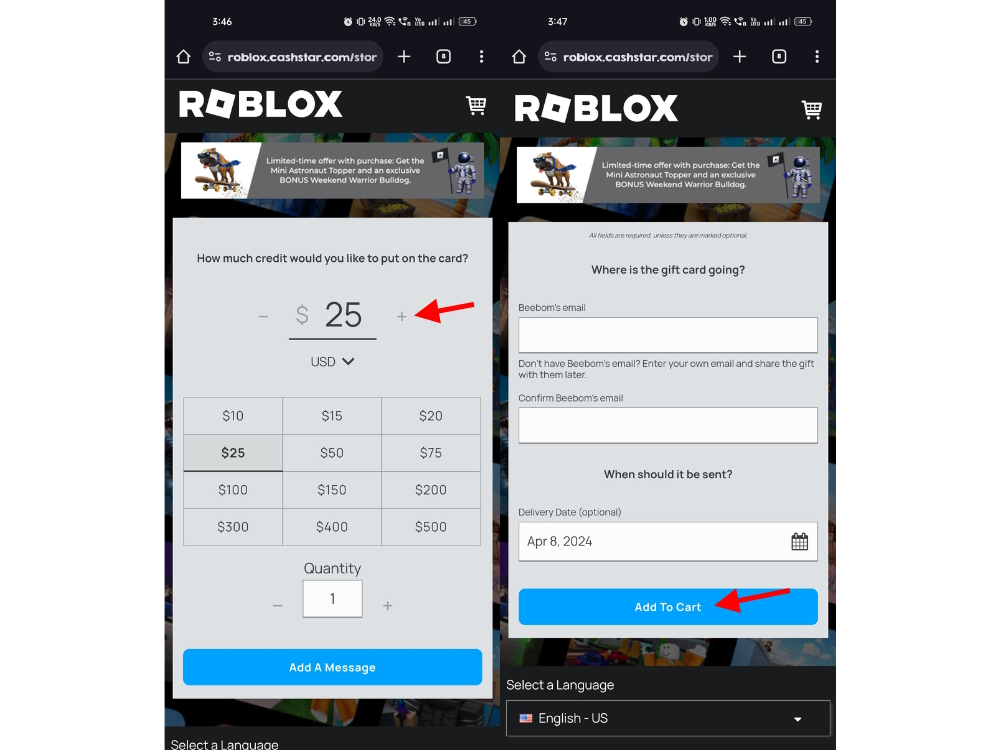
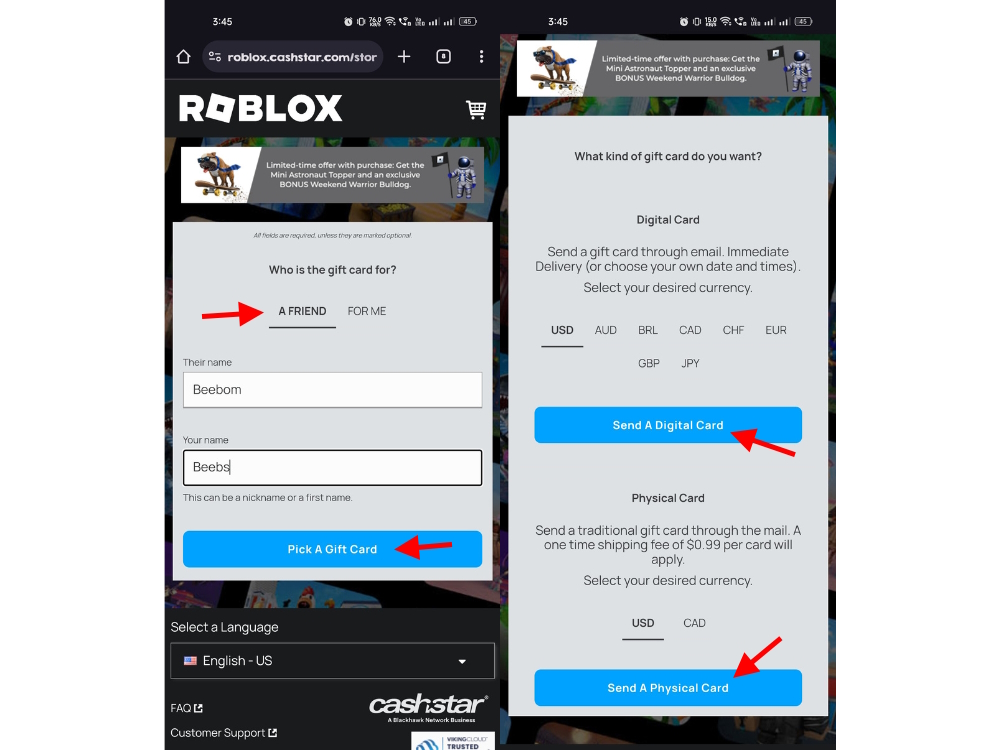
Roblox gift cards are widely available. You can find them at major retailers like Amazon, Walmart, Target, and GameStop. Digital codes can be purchased directly from the Roblox website or through online retailers. When you purchase a digital card, the code is typically emailed to you or your friend. Physical cards are great for tangible gifts. Always ensure you purchase from reputable sources. This avoids any issues with invalid codes. Always double-check the retailer's legitimacy. It’s a simple process to get these cards. You will find them almost everywhere.
Redeeming a Roblox Gift Card
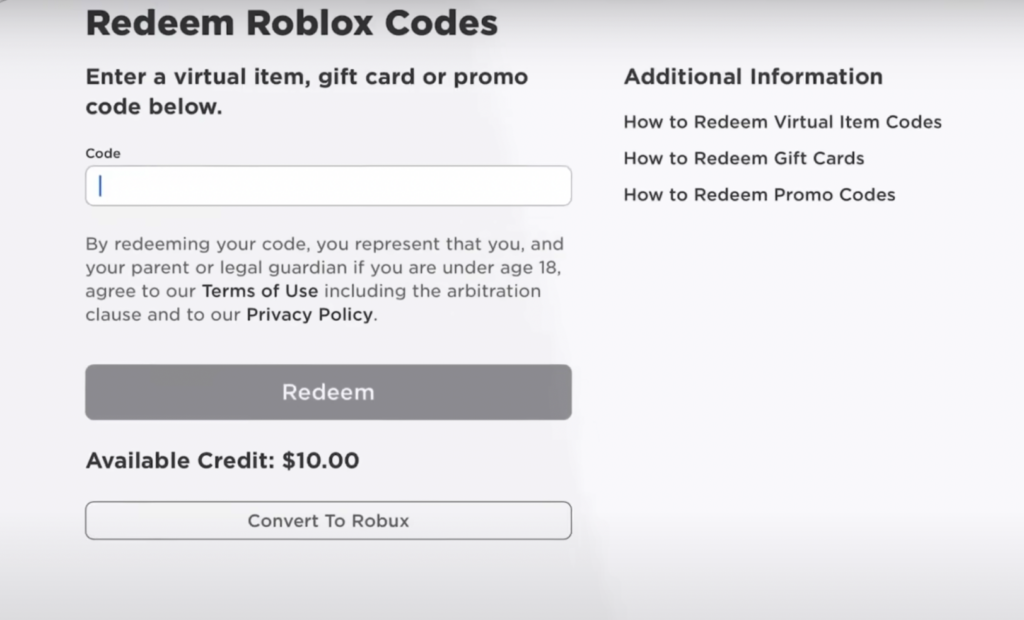
Once your friend receives the gift card code, they can redeem it on the Roblox website. They simply log into their account. Navigate to the 'Gift Card' redemption page. They enter the unique code found on the card. The Robux amount associated with the card will then be added to their account balance. This process is instant and hassle-free. It provides the Robux almost immediately. Your friend can then use the Robux for anything they desire. It's the most direct and secure way to give Robux. Try this tomorrow and let me know how it goes.
Method 4 Commissioning a Friend's Creations
If your friend is a talented creator on Roblox, you can commission them for their work. This could be anything from building a custom game asset to designing unique clothing. You essentially pay them Robux for their services. This method benefits both parties. Your friend earns Robux for their skills, and you get a custom item. It fosters a creative economy within Roblox. This method supports content creators directly. It's a win-win situation for creative friends. This is a great way to encourage their talent. Consider this method for a more personalized exchange.
How Roblox Premium Benefits Impact Robux Sharing
Roblox Premium membership can indirectly enhance Robux sharing methods. Premium subscribers receive a larger percentage of Robux from sales in their games and groups. This means if you or your friend have Premium, you'll retain more Robux from game pass or clothing sales. For group payouts, Premium members might find the process smoother. It allows more Robux to flow into the group. While not a direct sharing mechanism, Premium status optimizes the Robux economy. It makes sharing more efficient. It’s a helpful boost for serious players. This definitely impacts your overall earnings.
Important Considerations and Safety Tips
When sharing Robux, safety is paramount. The Roblox platform strives to create a secure environment. Users should always be vigilant against scams. Understanding the official methods prevents you from falling victim to fraudulent schemes. Never share your password or personal information with anyone. Roblox will never ask for your password outside of the official login page. Trust only the methods discussed here. Your account security depends on it. Be smart about your transactions.
Avoiding Robux Scams
Unfortunately, the internet is rife with scams promising free Robux or direct transfers. These often involve phishing websites or suspicious apps. Always be skeptical of offers that seem too good to be true. Roblox has clear guidelines against third-party Robux generators. These are often designed to steal your account information. Stick to the official Roblox website and trusted retailers for Robux. Educate your friends about these dangers. Sharing knowledge protects the entire community. Stay informed and stay safe online. Don't let yourself become a victim.
Roblox Transaction Fees
It's important to remember that most Robux transactions on the platform incur a fee. When you purchase a game pass or clothing, Roblox takes a percentage. This typically ranges around 30%. This means your friend will receive 70% of the sale price. This fee helps maintain the Roblox platform and its services. Plan accordingly when deciding on prices for game passes or commissions. Factor in this deduction to ensure your friend receives the desired amount. Transparency about fees helps manage expectations. Everyone should be aware of these costs.
Human-Friendly Cheat-Sheet for Giving Robux
- Roblox Gift Cards: The easiest and safest way. Buy online or in stores, send the code, friend redeems. Simple and direct.
- Group Payouts: For group owners. Create a group, friend joins, sell items through the group, then distribute Robux from group funds.
- Game Pass Sales: Friend creates a game pass (or clothing item), you buy it from them. Robux goes to their account after Roblox's fee.
- Commission Creations: If your friend is a builder or designer, pay them Robux for a custom item or service. It supports their talent.
- Always use official channels: Never trust third-party websites promising free Robux or direct transfers; they are usually scams.
- Be aware of fees: Roblox takes a percentage from game pass/clothing sales, so factor this into your plans.
- Communicate clearly: Make sure you and your friend are on the same page about the method and amounts.
Beginner / Core Concepts
Here, we tackle the fundamental questions that everyone has when first thinking about sharing Robux. It's totally normal to feel a bit lost at the start, but we'll walk through it together. These concepts are the building blocks for understanding all the other methods. Don't worry, you've got this!
1. **Q:** Can you directly send Robux to friends on Roblox?**A:** Nope, I get why this confuses so many people, but Roblox doesn't have a direct 'send Robux' button between players. It's a key security measure to prevent scams and ensure all transactions are legitimate and trackable. This policy protects your account and Robux from unauthorized transfers. Instead of direct sending, Roblox provides a few official workarounds that are secure and effective. These methods involve leveraging the platform's economic system. They require a bit of setup, but they are totally safe. You'll learn all about them in this guide. Don't worry, once you know the tricks, it's pretty simple! You've got this! Try practicing with one of the methods we discuss.2. **Q:** What is the safest way to give Robux to a friend?**A:** The absolute safest and most straightforward way to give Robux to a friend is by purchasing a Roblox gift card. This one used to trip me up too, but it's genuinely the best. You can buy these cards online or physically at many retail stores. Once you have the card, you simply give your friend the code. They can then redeem it directly on the Roblox website for Robux that go straight into their account. There are no fees involved in the redemption process, and it avoids any in-game complexities or potential scam risks associated with less direct methods. It's quick, clean, and ensures your friend gets their Robux without a hitch. Try this tomorrow and let me know how it goes.3. **Q:** How do Roblox group payouts work for giving Robux?**A:** Roblox group payouts are a super effective way to distribute Robux if you own a group and have funds in it. Basically, you create or own a group, and then your friend needs to join it. The key here is that group funds are generated from selling items like clothing or game passes through that specific group. Once those sales clear (there's usually a waiting period for pending Robux), you can then go into your group's admin settings and initiate a 'One-time Payout' to any group member, including your friend. It's a common method for paying collaborators or sharing earnings, making it a legitimate internal transfer. It ensures that Robux move securely within the Roblox ecosystem. It is a very structured way to distribute earnings. You'll see it used by many successful creators.4. **Q:** What is a game pass and how can it help transfer Robux?**A:** A game pass is essentially a virtual item that a player can create within their own Roblox game or experience, and then sell for Robux. I remember first trying this, and it seemed a bit like magic! For giving Robux, your friend creates a game pass (or a piece of clothing) and sets a price for it in Robux. You then go to their game or profile and purchase that specific game pass from them. The Robux from your purchase, minus Roblox's standard marketplace fee, will then go directly into your friend's pending Robux balance. It's a clever workaround that uses Roblox's existing marketplace mechanics to facilitate a Robux transfer. This method makes you feel like you are helping your friend out. You get something virtual in return for your Robux. You've got this! Give it a shot.Intermediate / Practical & Production
Now that you've got the basics down, let's dive into some more practical applications and considerations for sharing Robux. These methods often involve a little more setup or understanding of Roblox's economic system. We'll explore how to make these processes smoother and more efficient. Think of these as your next level-up strategies!
1. **Q:** How can I ensure my friend actually receives the Robux from a game pass purchase?**A:** To ensure your friend receives the Robux from your game pass purchase, clear communication and verification are crucial. First, your friend must create the game pass and set a visible price. Make sure they clearly tell you the exact name of the game, the game pass, and its exact price. You then purchase that specific game pass. After your purchase, the Robux won't appear instantly in their account; it typically goes into a 'pending' status for a few days (usually 3-7 days, depending on Roblox's processing times) before it's released to their active balance, minus Roblox's 30% marketplace fee. Your friend should check their 'My Transactions' or 'Summary' page under the Robux tab to see the pending Robux. It's a transparent process once you know where to look. Try logging in together to confirm the transaction status. You've got this!2. **Q:** What are the fees involved when giving Robux through game passes or groups?**A:** This one used to trip me up too, as it's not always super obvious! When you give Robux through game passes, clothing sales, or even group payouts from group revenue, Roblox takes a cut. For individual item sales like game passes or clothing, Roblox typically takes a 30% marketplace fee. This means if you buy a 100 Robux game pass, your friend will receive 70 Robux after the transaction clears. Similarly, Robux earned through group sales also incur this fee before landing in the group's funds. It's crucial to factor this into your plans. So, if you want your friend to get a specific amount, you'll need to account for that 30% deduction when setting the item's price. It's how Roblox keeps the platform running, so it's a necessary part of the process. Remember this for your next transaction!3. **Q:** Is there any way to track Robux I've given to a friend?**A:** Tracking Robux you've given directly to a friend isn't as straightforward as a bank transfer, but there are ways to confirm it. For gift card codes, once your friend redeems it, they'll see the Robux in their balance, and you typically get a confirmation if you purchased it online. For game pass purchases, you'll see the transaction in your own 'My Transactions' history, and your friend can see the incoming 'pending Robux' in their 'My Transactions' section under the Robux tab. For group payouts, the group owner can view the payout history in the group admin panel, confirming the transfer to a specific member. While there's no single 'Robux gifting tracker' in Roblox, combining your transaction history with your friend's pending Robux reports provides a clear audit trail. It's all about checking those individual transaction logs. You've got this! Just be diligent.4. **Q:** Can Roblox Premium make Robux sharing more efficient?**A:** Absolutely, Roblox Premium can definitely make Robux sharing more efficient, especially if you're frequently using game passes or group payouts! While it doesn't offer a direct gifting button, Premium members receive a higher Robux payout from selling items like game passes, shirts, and pants they create. For instance, a non-Premium user gets 70% of a sale, but a Premium user might get 80% (percentages can vary by tier and Roblox updates). This means more Robux ends up in the creator's account from your purchase. If your friend has Premium, they'll retain more of the Robux you send them via a game pass purchase. If you have Premium and own a group, more Robux will go into your group funds from sales, which you can then distribute. So, yes, it's a sweet bonus for regular traders and creators! Consider it an efficiency booster. You'll see the difference over time.5. **Q:** What are the typical waiting times for Robux to process after a sale or payout?**A:** Ah, the waiting game! This one used to make me impatient too. After a game pass, clothing sale, or a group payout is initiated, the Robux usually enters a 'pending' state. This pending period typically lasts about 3 to 7 days, though sometimes it can be a bit longer. Roblox uses this time to process and verify the transaction, which helps prevent fraudulent activities and ensures everything is legitimate. It's a necessary security step for the platform. Once the pending period is over, the Robux will then move from the 'pending' balance to the recipient's active Robux balance, ready for use. So, if you're planning a Robux surprise for a friend, just remember to factor in this waiting period! Patience is a virtue here. You've totally got this handled.6. **Q:** Can I give Robux to friends using my phone or tablet?**A:** Yes, you absolutely can give Robux to friends using your phone or tablet! The methods we've discussed, like buying a game pass, setting up group payouts, or purchasing a gift card, are all accessible through the Roblox mobile app or by accessing the Roblox website via a mobile browser. For instance, your friend can create a game pass using the Roblox Studio app (if available on their device) or through the mobile website. You can then navigate to their profile or game page on your phone's Roblox app and make the purchase. Buying digital gift cards is also easily done on mobile devices from various online retailers. The experience is quite streamlined across platforms, so you won't be limited by what device you're using. It's super convenient for on-the-go gifting. Try it out on your device! You'll be surprised how easy it is.Advanced / Research & Frontier
Alright, gamers, let's explore some of the more nuanced and advanced aspects of Robux sharing. These topics delve deeper into the Roblox economy and creator tools. We'll discuss optimal strategies and explore slightly less common but equally legitimate methods. This section is for those who want to master the art of Robux gifting. Get ready to level up your knowledge!
1. **Q:** What's the best strategy for utilizing Roblox group funds for long-term Robux sharing?**A:** For long-term Robux sharing, utilizing Roblox group funds is an excellent strategy, especially if you and your friends collaborate on projects. The best approach involves consistently generating revenue within the group. This could mean creating popular clothing lines, developing a successful game with paid access or game passes, or selling various in-game items through the group. The key is sustainable earning. Instead of sporadic sales, aim for continuous income streams that feed the group's funds. With Roblox Premium, the group retains a higher percentage of earnings, maximizing the Robux available for distribution. Regular, small payouts can be more effective than large, infrequent ones, fostering a steady flow of Robux to your friends. It's like building a small business together, ensuring a reliable supply of Robux for everyone involved. You've totally got this! Think big picture.2. **Q:** How can creators leverage commissions to receive Robux from friends effectively?**A:** Creators can leverage commissions as a fantastic way to receive Robux from friends, transforming their skills into currency. First, a friend, like you, commissions them to create something specific – perhaps a custom clothing design, a unique game asset, or a script. The creator then designs the item and uploads it to their group or personal inventory, setting a price that includes the agreed-upon commission plus any Roblox fees. For clothing or game passes, the friend (commissioner) then purchases that specific item. For custom assets within a game, the 'payment' might be a direct purchase of a high-value game pass from the creator’s game. This method formalizes the exchange of services for Robux. It ensures the creator is fairly compensated for their talent through legitimate Roblox channels. It's a professional and rewarding way for friends to support each other's creative endeavors. This boosts their morale too! Don't be afraid to put a price on your art.3. **Q:** What are the implications of Roblox's economic shifts on Robux sharing methods?**A:** Roblox's economic shifts, such as changes in Robux exchange rates, creator payout percentages, or platform fees, directly impact Robux sharing methods. For example, if Roblox adjusts the developer exchange rate for cash-outs, it might influence how attractive selling items for Robux becomes for creators. Similarly, changes to the 30% marketplace fee (though it's been fairly stable) would directly affect how much Robux a friend receives from a game pass sale. Keeping an eye on official Roblox developer announcements or news blogs is crucial. These updates often detail new features or policy changes that could open up new, or alter existing, methods of Robux transfer. Staying informed means you can adapt your sharing strategies to be as efficient and cost-effective as possible. It's like watching the stock market, but for virtual currency. You've got this! Stay informed.4. **Q:** Are there any emerging trends or new features that could change how Robux is shared in the future?**A:** Absolutely! The Roblox platform is constantly evolving, and new features could definitely change how Robux is shared. One area to watch is the expansion of creator tools and monetization options within experiences. As Roblox pushes for more immersive and complex user-generated content, there might be new ways to directly support creators within their games, potentially with direct 'tipping' mechanisms or more flexible payout systems for contributors. Another trend is the growing emphasis on avatars and virtual fashion; enhancements to avatar item creation and sales could make commissioning custom outfits an even more prominent sharing method. Also, as the platform expands globally, new payment integrations or local currency options might indirectly influence Robux distribution. Always keep an eye on the official Roblox blog and developer forums for announcements. They often hint at exciting future possibilities! It's an exciting time to be a gamer on Roblox. You've got this!5. **Q:** How does intellectual property (IP) for created assets factor into Robux sharing and commissions?**A:** Intellectual property (IP) for created assets is a really important consideration, especially when friends are commissioning custom work for Robux. When your friend creates a game pass, clothing, or a unique asset, they generally retain the IP rights to that creation, even if you paid them Robux for it. This means they own the original design. However, a clear agreement between friends before the commission takes place is vital. This agreement should specify who can use the asset, if it can be resold, or if it's exclusive to the commissioner. For instance, if you pay for a custom shirt, do you have exclusive rights to wear it, or can your friend sell it to others? While Roblox has its own terms of service regarding UGC, a friendly, explicit understanding prevents misunderstandings. It makes sure everyone is happy with the terms. It's like a mini business deal between friends. You've totally got this handled. Just chat it out!Quick Human-Friendly Cheat-Sheet for This Topic
- Roblox doesn't do direct Robux gifts, so don't fall for scams promising otherwise!
- Gift cards are your easiest, most secure bet for sending Robux straight to a friend.
- Group Payouts are awesome for recurring Robux sharing if you have a group earning funds from sales.
- Buying a friend's Game Pass or custom clothing item is a clever way to transfer Robux through the marketplace.
- Always remember Roblox takes a small fee (around 30%) on item sales, so factor that into your pricing plans.
- Patience is key! Robux from sales usually takes 3-7 days to clear and show up in your friend's balance.
- Consider Roblox Premium if you or your friend are active creators, as it can boost Robux earnings!
Roblox officially does not allow direct Robux transfers. Legitimate methods include group payouts via a shared group, purchasing a friend's game pass or clothing item, or using a Roblox gift card code. Understanding these official channels is crucial. Always be cautious of third-party websites offering direct transfers. They often lead to scams or account compromise. Roblox Premium membership enhances group payout capabilities. Group funds must accumulate from item sales within the group. Game passes offer a flexible way for friends to set their own Robux price for an item. Gift cards provide a straightforward, secure, and popular method. Every method involves a small transaction fee from Roblox. This ensures the ecosystem remains stable.
35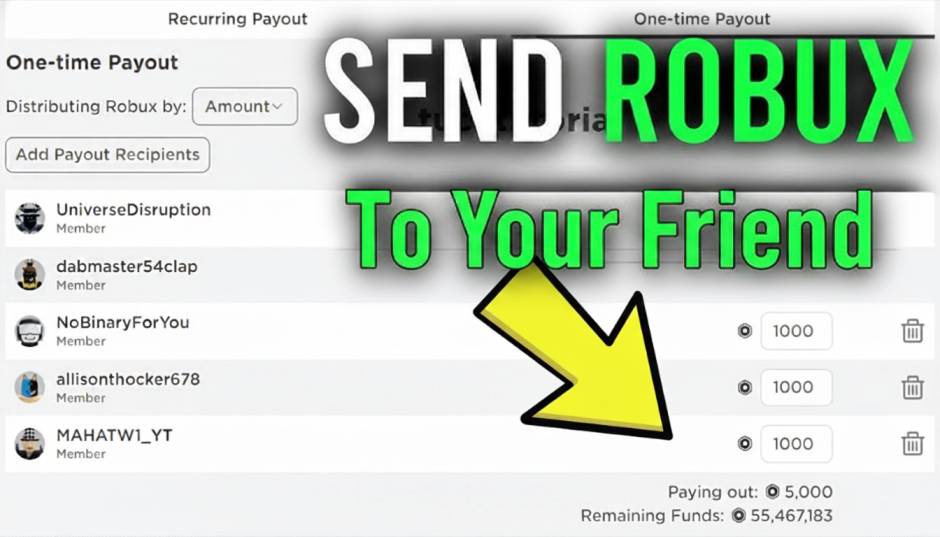


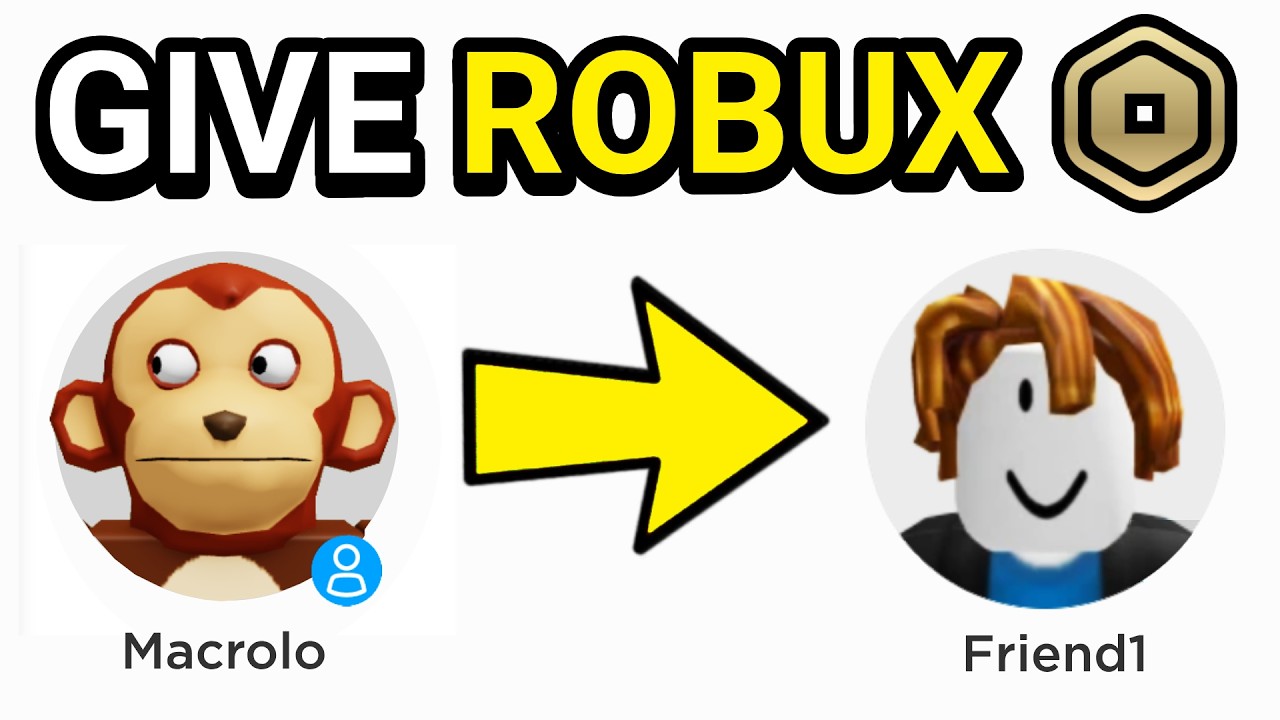
How To Give Robux To Friends On Roblox Easy Methods 2026 Send Robux To Your Friend . How To Give Robux To Friends On Roblox In 2026 How Send Robux Friend . How To Give Robux To Friends On Roblox In 2026 How To Donate Robux To Friends . How To Gift Robux In Roblox For 2026 Your Ultimate Guide Give Someone Robux Step 37 . How To Give Robux To Friends Mobile IXXLIQ


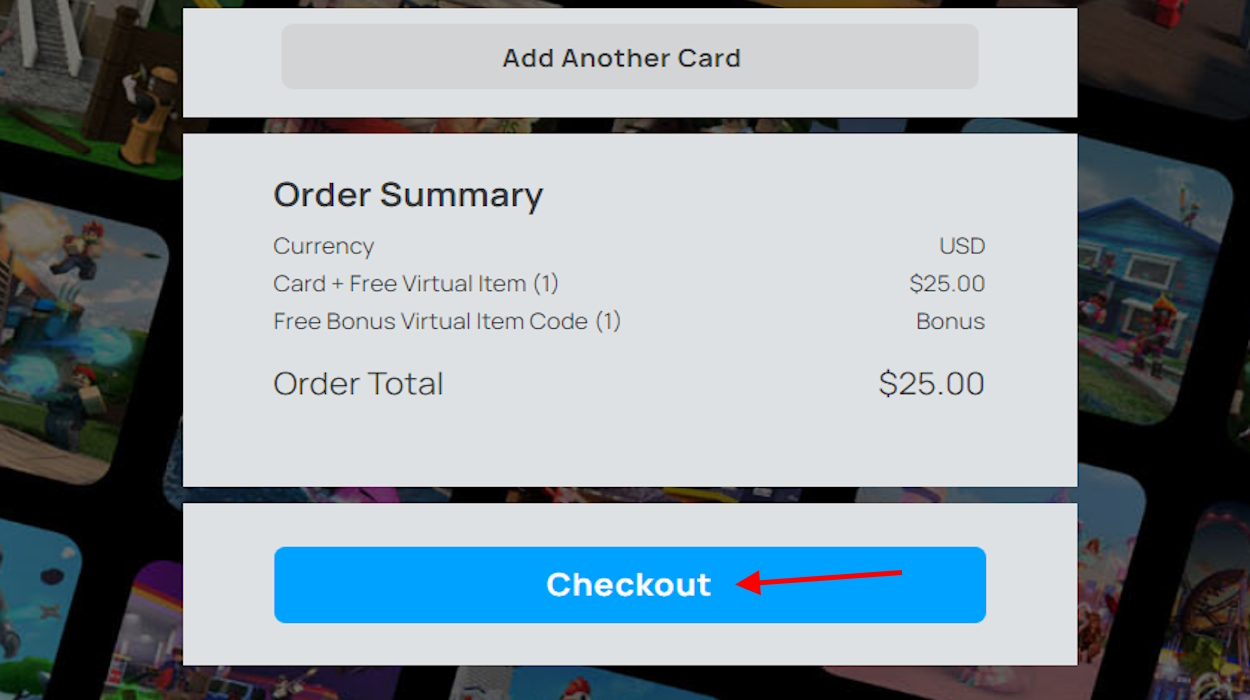
How To Give Your Friends Robux On Mobile . How To Give Robux To Friends In Roblox Beebom Select Desired Amount And Email Of Recipient Option . How To Give Robux To Friends On Roblox In 2026 . How To Give ROBUX To Friends Roblox 2026 YouTube . How To Gift Robux In Roblox For 2026 Your Ultimate Guide Checkout Option For Roblox Gift Carde



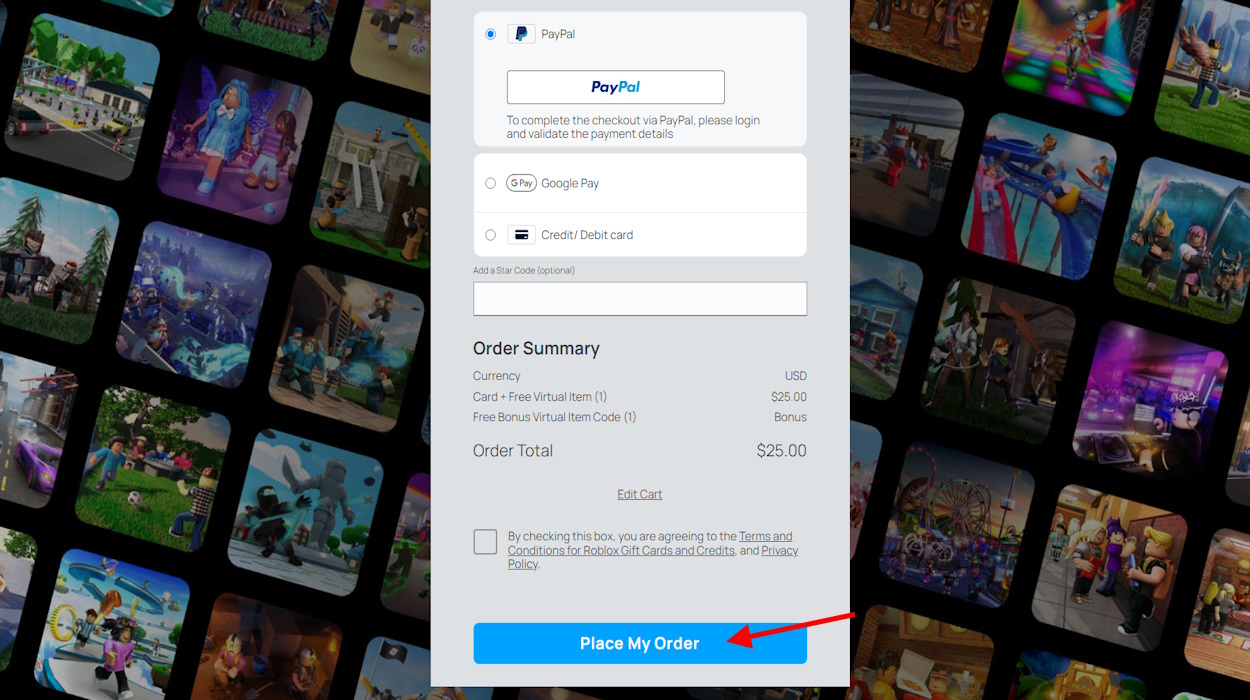
How To Send Robux To Friends 2026 YouTube . How To Give Robux To Friends On Roblox Mobile 2026 Send People Robux . How To Give Robux To Friends On Roblox In 2026 How To Give Robux To A Friend . How To Give Robux To Friends Full Guide Send Robux To Friends . How To Give Robux To Friends In Roblox Beebom Select Purchase Option And Place Order To Give Robux


How To Give Robux To Friends On Roblox Mobile Send Robux To People . How To Transfer Robux To Another Account Give Roblox Robux To Friends . How To Send Robux To Friends On Iphone 1699658102 . How To Give Robux To Friends In Roblox Beebom Select Robux Price . How To Donate Robux To Other Friends On Roblox 2026 How To Donate Robux To Your Friends On Roblox



How To Give Robux To Friends Without Group . Robux Roundup Gifting Goodies To Your Roblox Pals . How To Give Robux To Friends On Roblox Send Robux To People 2023 . How To Give Robux To Friends On Roblox In 2026 Select Roblox Gift Card Type On Mobile Browser . How To Give Robux To Friends Mobile Guide Send Robux On Roblox

How To Give Robux To Friends On Roblox Mobile Send Robux To People . How To Give Robux To Your Friend On Roblox Nosware Share Robux With Friends 1024x576 . How To Gift Robux In Roblox For 2026 Your Ultimate Guide Roblox Gift Card Redeem 1024x620 . How To Give Robux To Friends In Roblox Complete Guide How To Give Robux To Friends 1 .webp. How To Give Robux To Friends On Roblox How To Give Robux To Friends On Roblox 1024x574



Robux Roundup Gifting Goodies To Your Roblox Pals Give Robux Gift Card Email 1024x576 . How To Request Robux From Friends On Roblox 07ea61da C239 4e46 8a62. How To Send Robux To Friends In Roblox Mobile YouTube . How To Give Robux On Roblox 2020 How To Give Your Friend Robux On . How To GIVE Robux In Roblox To Friends Without Group How To Send A 800x450